
Cloud GPU prices typically run from under $1 per hour for consumer-grade cards to well over $10 per hour for the newest datacenter chips, with spot pricing cutting that range dramatically. The single biggest decision is billing type (on-demand versus spot or reserved) paired with GPU generation. Every quote should also account for storage, egress, and billing granularity before you trust a number.
TL;DR:
Spot discounts can reduce GPU costs by as much as 90 percent, but interruptions and egress spikes may cancel out the savings.
Using per-minute or per-second billing for short sessions significantly lowers costs for iterative or interactive workloads compared to hourly billing.
Choosing the right billing model depends on workload predictability: on-demand for urgent tasks, reserved for long-term projects, and spot for fault-tolerant batch jobs.
Pricing varies widely between providers due to GPU model, region, and billing options, making direct quotes unreliable unless the billing type and conditions are carefully compared.
Dedicated GPU desktop services with per-minute billing, like Vpzzos, are ideal for creators needing flexible, short, bursty work without paying for idle time.
Table of Contents
-
What determines cloud GPU cost: model, instance, region, and billing granularity
-
Vpzzo’s pricing model and when per-minute dedicated desktops win
-
A practitioner’s recommendation flow for choosing billing types
What determines cloud GPU cost: model, instance, region, and billing granularity
Every GPU cloud quote is built from the same handful of variables, and once you can name them, comparing providers gets much easier. The GPU family itself is the biggest lever: a consumer-class card with 16GB of VRAM costs far less to rent than a datacenter chip with 80GB and fast interconnects because the datacenter part handles larger models and faster multi-GPU training. Instance size matters too: renting four GPUs in one box usually costs more per hour than renting one, but can finish a job faster.
Billing type changes the math again. On-demand pricing is the baseline, reserved or committed-use pricing trades a long-term commitment for a lower rate, and spot or preemptible pricing offers steep discounts in exchange for the risk that your instance gets reclaimed mid-job.
Then come the costs people forget to check for:
-
Storage: persistent disk space is billed monthly regardless of whether you’re actively computing.
-
Network egress: moving datasets, model checkpoints, or rendered footage out of the provider’s network often carries a per-gigabyte fee.
-
CPU and RAM overhead: some providers bundle this with the GPU price, others bill it separately.
-
Billing granularity: per-second or per-minute billing can save real money on short sessions, while hourly billing rounds every job up to the next full hour.
Billing granularity alone changes outcomes: per-minute or per-second billing reduces wasted billed time on short interactive sessions, which matters most for creative and iterative AI work where sessions rarely fill a clean hour.
Ballpark $/GPU/hr ranges by GPU family and billing type
Prices vary by provider and region, but the broad tiers are consistent enough to sanity-check any quote you receive. Entry-level consumer-class GPUs, the kind suited to light rendering, inference, or small model fine-tuning, tend to sit at the low end of the market. Datacenter-class cards built for heavier training jobs cost several times more per hour, and the newest high-memory chips sit at the top of the range.
Top market examples show H100-class prices in the higher single-digit to low double-digit dollar range per GPU per hour on many providers for on-demand instances, with spot discounts often cutting that by 30 to 90 percent depending on the provider and region. That spread alone explains why two people quoting “an H100” can end up with wildly different budgets.
Billing type reshapes which jobs make financial sense on which hardware:
-
On-demand: best for short, unpredictable, or production-facing work where you cannot risk interruption.
-
Spot or preemptible: best for fault-tolerant batch jobs like hyperparameter sweeps or large render queues that can checkpoint and resume.
-
Reserved or committed-use: best for long, predictable training runs where the discount compounds over weeks or months.
Billing granularity shows up again here in a very concrete way. A ten-minute interactive session, testing a texture, checking a render preview, debugging a training script, costs a fraction of an hour under per-minute billing. Under hourly billing, that same ten-minute session is still billed as a full hour, which quietly inflates the cost of iterative, stop-start work far more than it affects long batch runs.
Step-by-step cost estimation with worked examples
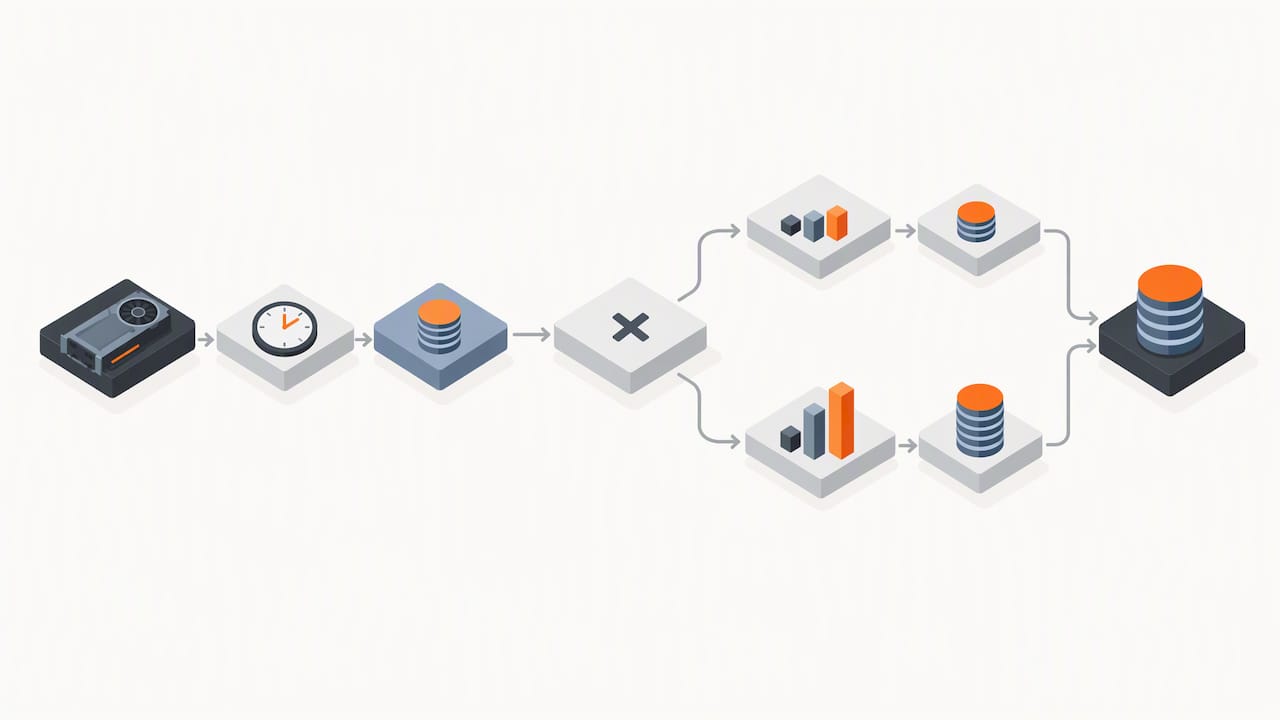
A reliable estimate needs five inputs before you commit to anything: the number of GPUs, the expected run-hours, storage in gigabyte-months, expected egress in gigabytes, and any CPU/RAM overhead not bundled into the GPU price. Once you have those, the formula is simple: total cost equals (run-hours times GPU price) plus storage plus egress plus overhead.
Here’s how that plays out for two common project types:
-
Training job example: say you need 2 GPUs for 40 hours at an illustrative $2.50 per GPU per hour, plus 100 GB-months of storage at $0.10 per GB, plus 50 GB of egress at $0.09 per GB. Compute comes to $200, storage adds $10, egress adds $4.50, for a total near $214.50.
-
Rendering job example: say you need 1 GPU for 15 hours at an illustrative $1.50 per hour, plus 20 GB-months of storage at $0.10 per GB, plus 10 GB of egress at $0.09 per GB. Compute comes to $22.50, storage adds $2, egress adds $0.90, for a total near $25.40.
Sensitivity matters more than people expect: spot discounts commonly range from modest to very large, and savings depend heavily on provider market dynamics and instance footprint. A spot interruption that forces a restart from the last checkpoint can erase a chunk of that discount, and an unplanned egress spike from exporting a large dataset can do the same on the storage side.
Concrete tactics to reduce GPU cloud bills
Cost control on GPU clouds is mostly about matching the billing model to the shape of the workload, not finding a secretly cheaper provider. For fault-tolerant jobs, build checkpointing into the training loop so a spot interruption costs you minutes, not hours, and pair that with autoscaling and a retry policy so jobs resume automatically. For interactive work, batch short tasks into fewer, longer sessions where it makes sense, but lean on per-minute billing for the unavoidable stop-start sessions instead of letting hourly billing round everything up.
-
Checkpoint aggressively on spot or preemptible jobs so interruptions cost minutes, not full runs.
-
Match storage to the job: persistent NVMe for active projects, cheaper blob storage for archives.
-
Minimize egress by processing and compressing data before export instead of after.
-
Negotiate committed-use pricing once usage is predictable; committing to sustained usage typically yields material discounts compared with on-demand pricing.
-
Set billing alerts and tag resources by project so runaway jobs get caught within hours, not at month end.
Pro Tip: Run a one-hour spot test before committing a full training job to spot capacity, so you see real interruption frequency instead of guessing.
Vpzzo’s pricing model and when per-minute dedicated desktops win
Vpzzo runs a cutting-edge Nvidia GPU cloud desktop service that gets you dedicated, not shared, GPU power in minutes without buying hardware that will be outdated in a couple of years. That matters most for creators who’ve been burned by fixed workstation specs that can’t flex when a project suddenly needs more VRAM or more GPUs.
The billing model is the core differentiator: per-minute, usage-only billing lets you scale GPU resources up or down as the project demands, so an idle desktop costs nothing while an active render or training session is billed only for the minutes it actually runs.
-
Dedicated Nvidia GPUs with admin access to a full Windows environment.
-
Persistent NVMe storage maintaining project setups between sessions.
-
Browser-based 4K 60fps streaming, supporting multiple GPUs per session without software installation.
This model fits best for short, iterative, or bursty work: interactive 3D rendering, AI model testing, and collaborative sessions where hourly rounding would otherwise waste real money.
A practitioner’s recommendation flow for choosing billing types
Start small. Estimate your expected run-hours first, then pick a billing type that matches the job’s risk tolerance: on-demand for anything time-sensitive, spot for fault-tolerant batch work, reserved for long predictable runs. Before committing a budget, pilot the job on per-minute billing or a short spot run to see real costs and interruption rates, not projected ones. For teams, add monitoring, resource tagging, and a cost center per project early, since that’s what catches a runaway job before it becomes a surprise invoice.
— Erkan
Try per-minute dedicated GPU desktops with Vpzzo
If the math above left you wanting dedicated hardware without the idle-time waste, that’s exactly the gap Vpzzo’s per-minute billing is built for. You get dedicated Nvidia GPUs, persistent NVMe storage, and full browser access, and you’re billed only for the minutes a desktop is actually running, not for the hours it sits idle between sessions.
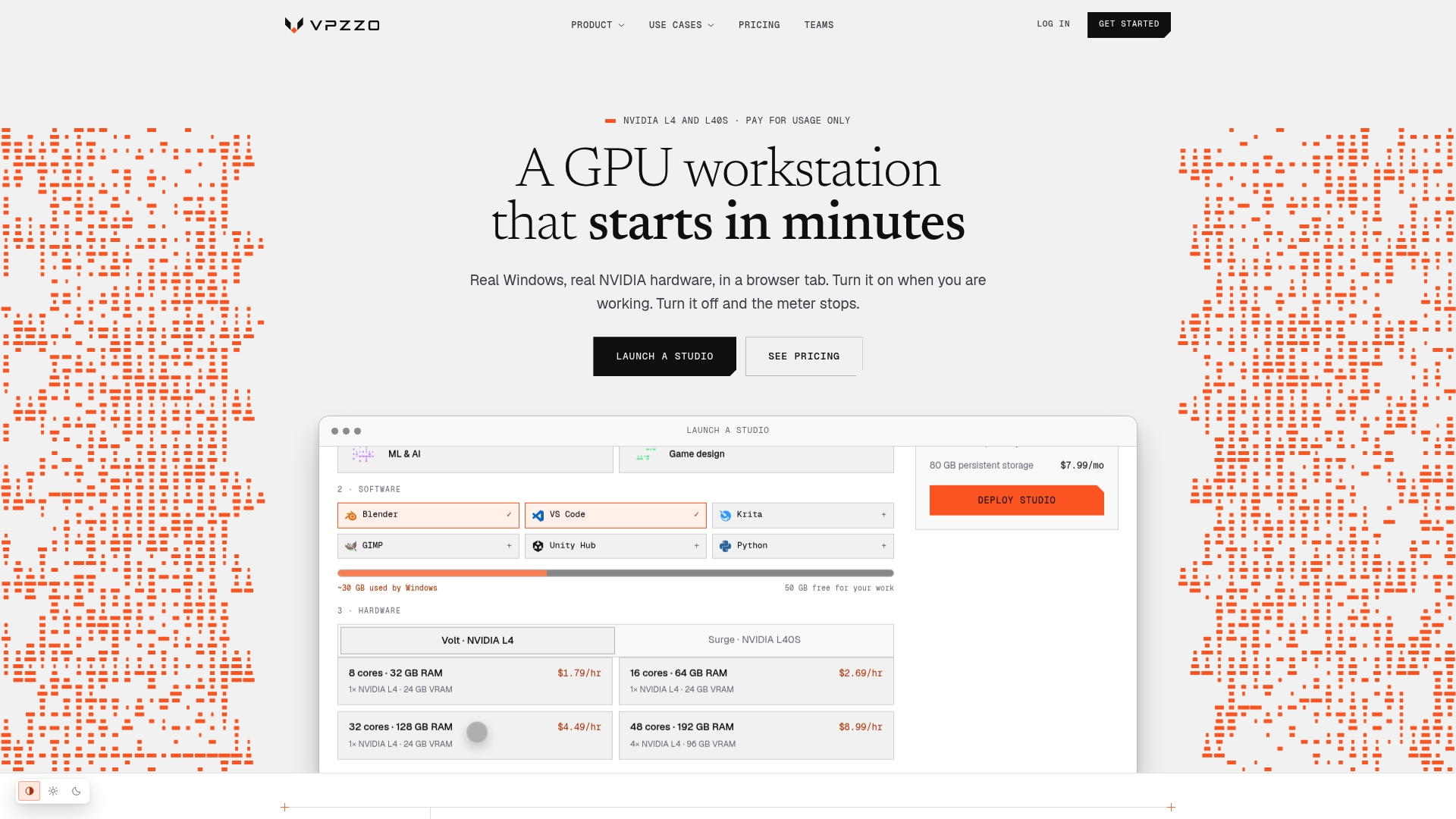
Check current rates for Volt and Surge plans on the pricing page, or compare GPU options on the Nvidia GPU lineup before running a pilot session of your own.
FAQ
How much does Google Cloud charge for GPUs?
Google Cloud prices GPUs by model and region, with on-demand rates varying widely between consumer-tier and high-memory datacenter chips. Check Google Cloud’s own pricing page for the current rate on the specific GPU model and region you need, since rates change and regional variance is significant.
Is cloud GPU free?
Most providers offer limited free tiers or trial credits, but sustained GPU compute is a paid service billed by the hour, minute, or second depending on the provider. Expect any meaningful training or rendering workload to incur real charges once free credits run out.
What is the Azure GPU pricing?
Azure prices its GPU-backed virtual machines by instance size and GPU model, with on-demand, spot, and reserved options available at different rates. As with other major clouds, the exact rate depends on region and commitment level, so check Azure’s pricing page for the configuration you plan to use.
How much does AWS charge for GPUs?
AWS charges for GPU instances based on the instance type and GPU model, with on-demand, spot, and reserved pricing tiers available. Spot instances can cut costs significantly compared to on-demand, though availability and interruption risk vary by region and demand.
Why do GPU cloud quotes vary so much between providers?
Price dispersion comes from differences in GPU generation, region, billing granularity, and spot availability. Live price aggregators tracking thousands of configurations report extreme price dispersion across providers and regions, which is why comparing a single quoted number without checking billing type is unreliable.
Selected live pricing pages and next steps
For current rates, check each provider’s own pricing page rather than relying on cached figures. Vpzzo’s pricing page and Nvidia GPU lineup show current per-minute rates and hardware options for readers ready to estimate a real project.