Cloud GPUs are the practical choice for training, fine-tuning, and scaling most AI models today, since on-demand instances remove the upfront hardware cost and let you match compute to the job. The fastest way to find out if they fit your workload is to pick a GPU class and run a short smoke test before committing to a longer run.
TL;DR:
- Choose GPU memory before raw compute: lower memory suits prototypes, mid tier handles most fine tuning, and H100 or H200 class chips fit large models.
- Before scaling beyond one GPU, test dataset reads and checkpoint writes on shared storage, then verify interconnect bandwidth because either bottleneck can throttle training.
- Per minute billing suits smoke tests and interactive work, while reserved or discounted rates usually favor continuous runs; budget separately for storage and outbound transfer.
- Validate a single GPU run through one checkpoint cycle, recording runtime, write time, and utilization before adding GPUs or troubleshooting distributed bottlenecks.
Table of Contents
- What modern cloud GPU platforms provide today
- Choosing GPU types and right-sizing for your model
- Scaling training: interconnect, storage, and orchestration you can’t skip
- Managed platform features that save developer time
- Cost and billing models: simple formulas to estimate training spend
- Quick start: minimal workflow to run a cloud training job and validate it
- Practitioner optimizations: checkpointing, async saves, pinned memory, and right-sizing
- How Vpzzo maps to the needs covered above
- Security and compliance considerations for cloud GPU training
- Data transfer and storage strategies for large AI datasets
- Integration with popular ML frameworks and tooling
- Best practices for instance selection based on workload types
- Comparison with on-premises GPU training environments
- Author perspective: practical advice and where platforms are headed
- Vpzzo: try a browser-accessible, per-minute Nvidia cloud desktop
- FAQ
- Sources
What modern cloud GPU platforms provide today
Cloud GPU platforms no longer just rent out hardware. You can choose from several delivery models depending on how much control you want versus how fast you need to move:
- Raw GPU virtual machines give full root access and the most configuration freedom, at the cost of setup time.
- Managed pods or containers come with drivers and frameworks preinstalled, so you skip the environment setup entirely.
- Serverless GPU offerings spin up only when a job runs, which suits burst inference or short training jobs.
- Browser-hosted GPU desktops stream a full working environment, useful when you want a persistent, visual workspace instead of a headless instance.
The features that matter most for daily work are the ones that cut setup time: preinstalled drivers, ready-made machine learning containers, multiple region choices, and persistent NVMe storage that survives between sessions. According to industry commentary on GPU infrastructure evolution, GPU cloud platforms have shifted from simple hardware rentals into full-stack services that handle driver management, library tuning, and orchestration, which lets practitioners spend more time on models and less on plumbing.
That shift changes developer velocity in a concrete way. A platform that keeps your environment identical across sessions means your results stay reproducible, your onboarding time drops, and you stop losing afternoons to driver mismatches.
Choosing GPU types and right-sizing for your model
GPU memory and memory bandwidth, not raw compute alone, usually decide whether a large language model or vision model trains smoothly. A model that does not fit in GPU memory forces you into slower workarounds like aggressive gradient checkpointing or offloading, so matching GPU class to model size is the first real decision you make.
A rough mapping that holds up in practice:
- Small experiments and prototyping: lower-memory GPUs are often enough and cost less per hour.
- Mid-size fine-tuning jobs: mid-tier GPUs with higher memory handle most fine-tuning workloads without multi-GPU complexity.
- Large LLM pretraining or large vision transformers: H100 or H200-class GPUs become necessary once parameter counts climb.
The NVIDIA H200 carries 141GB of HBM3e memory and higher memory bandwidth than its predecessor, which NVIDIA positions as important for generative AI and large language model workloads where memory bandwidth, not just capacity, limits throughput. Intel’s guidance on GPUs for AI makes a similar point from the other direction: smaller models may not need GPU-level resources at all, and cost and energy trade-offs should guide the hardware decision rather than defaulting to the largest available chip.
Scaling training: interconnect, storage, and orchestration you can’t skip
Once you move past a single GPU, the bottleneck usually stops being compute and becomes the connections between GPUs and nodes. NVIDIA’s reference architecture for its HGX platform pairs H100, H200, or B200 GPUs with NVLink and NVSwitch interconnects, and treats high-bandwidth fabrics and shared storage as core components rather than optional extras. Fabric bandwidth and interconnect topology are frequently the real determinant of how efficiently a multi-node job scales, more than the GPU count itself.
Three infrastructure layers decide whether distributed training actually scales:
- Interconnect: NVLink and NVSwitch handle GPU-to-GPU traffic within a node; InfiniBand handles node-to-node traffic, and a weak fabric here throttles everything downstream.
- Shared storage: a high-performance file system that can stream large datasets and absorb checkpoint writes without stalling training.
- Orchestration: Slurm suits traditional HPC-style batch scheduling, while Kubernetes variants fit teams that already run container-based pipelines and want tighter integration with existing DevOps tooling.
Production-scale clusters also need the right number of control-plane and storage nodes, not just GPUs, since NVIDIA’s DGX guidance notes that control plane and storage sizing are critical to running H100 and H200 systems reliably at scale.
Pro Tip: Before committing to a multi-node run, test your checkpoint write and dataset read speeds on the shared file system alone. Storage, not the GPUs, is the most common hidden bottleneck.
Managed platform features that save developer time
The platform features that save the most time are the ones that remove recurring manual work rather than the ones that look impressive in a feature list. A few criteria predict how much operational burden a platform will take off your hands:
- Driver and runtime maintenance: a platform that keeps CUDA and driver versions current means you are not debugging compatibility issues mid-project.
- Prebuilt ML container images: images with PyTorch, TensorFlow, or JAX already configured cut launch time from hours to minutes.
- API, CLI, and infrastructure-as-code support: these make job launches reproducible and scriptable instead of manual, point-and-click processes.
- Telemetry and cost controls: live GPU utilization data, job hooks, and spend limits help you catch runaway jobs before they become expensive.
- Team collaboration features: shared environments and access controls matter once more than one person touches a project.
A platform that covers all of these lets you treat infrastructure as something you configure once and reuse, rather than something you rebuild for every experiment.
Cost and billing models: simple formulas to estimate training spend
Cloud GPU spend breaks down into a few predictable components: compute (GPU rate times hours running), persistent storage, data egress, and any managed service fees layered on top. Estimating cost before you launch is mostly a matter of multiplying the right numbers together.
Per-minute or per-second billing tends to help short, interactive workflows most, since you only pay for the minutes a GPU is actually running rather than rounding up to the next full hour. Longer, continuous multi-node runs are where reserved or spot pricing usually wins instead, because the discount compounds over sustained usage.
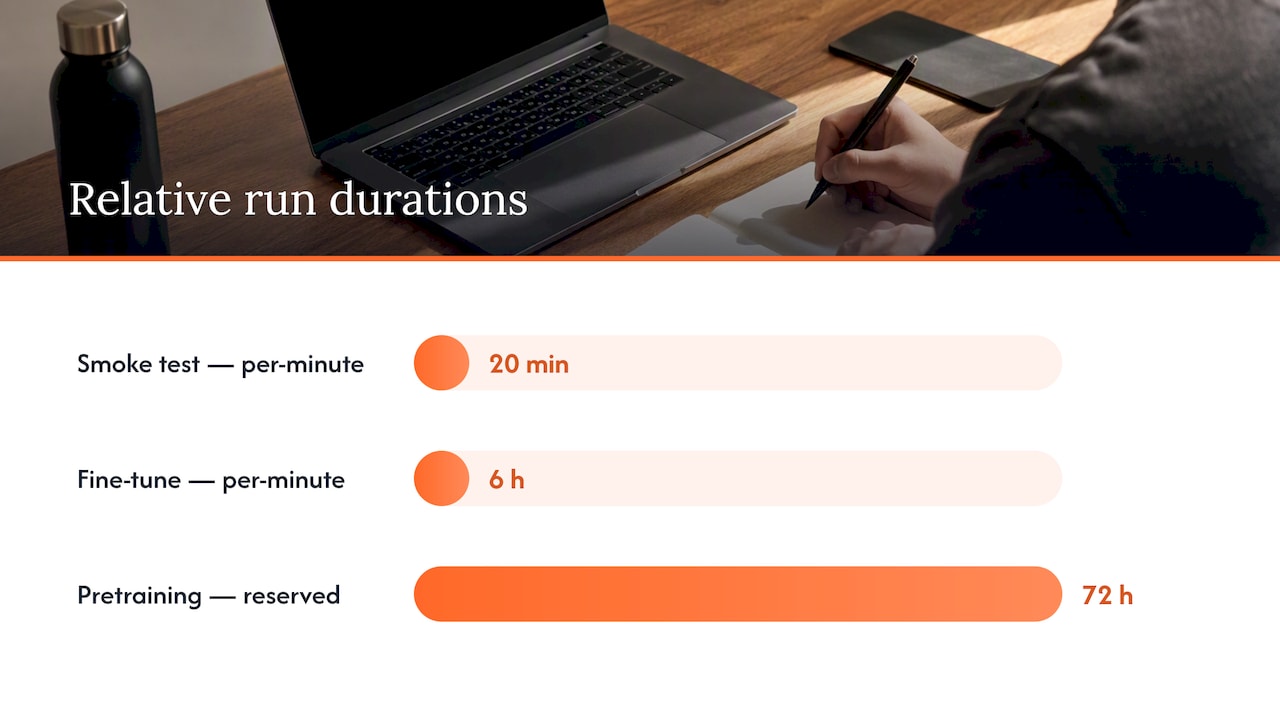
As an illustrative example, say you run three archetypal jobs: a 20-minute smoke test, a 6-hour fine-tuning run, and a 72-hour multi-GPU pretraining job. The smoke test and short fine-tuning job benefit most from per-minute billing since idle time between experiments costs nothing, while the 72-hour run is where a reserved or discounted rate changes the total meaningfully. Per-minute billing can lower costs substantially for short experiments and interactive workflows compared with per-hour billing, since development work rarely fills a full hour cleanly, which matters for anyone iterating quickly rather than running one long job.
Quick start: minimal workflow to run a cloud training job and validate it
A first cloud training job does not need to be complicated. A tight sequence gets you a usable answer fast:
- Confirm your container image includes the correct framework version, CUDA version, and any custom dependencies before launch.
- Stage your dataset in the storage location closest to your compute region to avoid slow first-epoch loads.
- Define a checkpointing plan, including how often you save and where checkpoints land.
- Launch a single-GPU instance and run a short job, long enough to complete at least one checkpoint cycle.
- Record runtime, checkpoint write time, and GPU utilization from that run as your baseline.
- Scale incrementally to multi-GPU only after the single-GPU run behaves as expected, watching interconnect throughput and storage IO at each step for new bottlenecks.
This sequence catches most configuration problems while they are still cheap to fix.
Practitioner optimizations: checkpointing, async saves, pinned memory, and right-sizing
A handful of implementation details separate a training run that wastes GPU hours from one that does not. PyTorch’s distributed checkpointing documentation describes async_save and staging optimizations, including pinned-memory buffers, that let checkpoint writes run off the critical training path instead of blocking it. Used carefully, this overlaps IO with ongoing computation and reduces stalls during distributed training.
A few practices make the biggest difference:
- Use async checkpointing so GPUs keep training while checkpoint data writes to storage in the background.
- Monitor CPU and memory use around pinned buffers, since overlapping IO and compute requires available CPU cores and can create sustained memory pressure if buffer lifetime is not managed.
- Apply mixed precision and gradient accumulation to reduce memory pressure without changing model architecture.
- Shard data efficiently across workers so no single GPU becomes an IO or compute straggler.
Pro Tip: Cap checkpoint concurrency explicitly rather than letting every worker checkpoint at once. This keeps pinned-memory usage predictable instead of spiking at save time.
How Vpzzo maps to the needs covered above
We built our Nvidia GPU cloud desktop service around the same operational needs this guide covers: fast access to real GPU power without the upfront cost of buying hardware that goes obsolete. Our platform addresses the setup and scaling challenges common to 3D rendering, animation, game design, and AI work alike.
We charge based on usage time, so scaling GPU resources up or down as a project demands does not mean paying for idle time. We deliver dedicated GPU hardware accessible straight from a browser, which supports real-time collaboration regardless of where team members sit.
For the workflow described above, that means a fast single-GPU smoke test costs only the minutes it runs, persistent storage keeps checkpoints and datasets in place between sessions, and usage-based billing keeps spend predictable as you move from testing to scaling.
Security and compliance considerations for cloud GPU training
Training on shared infrastructure raises questions that do not come up on a personal workstation: who else has access to the hardware, where your data physically sits, and how it moves between storage and compute. Dedicated GPU instances, rather than shared or multi-tenant ones, reduce the surface area for one tenant’s workload to interfere with or observe another’s.
Data residency matters when your datasets include regulated information. Confirm which region your compute and storage run in, since that determines which rules apply to the data sitting there. Encryption in transit between storage and compute, and at rest for persistent volumes, is a baseline expectation rather than an advanced feature.
Access control is the other piece worth checking before you commit a team to a platform. Role-based access, session isolation, and audit logs for who launched or accessed an instance all matter once more than one person touches a project. None of this replaces your own organization’s compliance review for your specific industry and jurisdiction, so treat platform-level security features as a starting point rather than a substitute for that review.
Data transfer and storage strategies for large AI datasets
Large AI datasets create two separate problems: getting the data into the cloud environment, and keeping it available fast enough to avoid starving the GPU during training. Moving terabytes of training data over a slow link can stall a job before training even starts.
A few strategies reduce friction:
- Stage datasets in the same region as compute to avoid cross-region transfer delays and fees.
- Use persistent storage volumes rather than re-uploading datasets for every job, since persistent NVMe storage keeps data in place between sessions.
- Compress and shard large datasets before transfer so streaming during training does not bottleneck on file count or format overhead.
Outbound data transfer, commonly called egress, usually carries its own fee separate from compute and storage charges, so moving large result sets or trained model weights out of a cloud environment is worth budgeting for ahead of time, not discovering after the fact.
Integration with popular ML frameworks and tooling
Most cloud GPU platforms are built to work with the frameworks practitioners already use, rather than requiring a switch in tooling. PyTorch and TensorFlow both run on standard CUDA-enabled instances, and prebuilt container images that include these frameworks, along with common libraries, cut setup from hours to minutes.
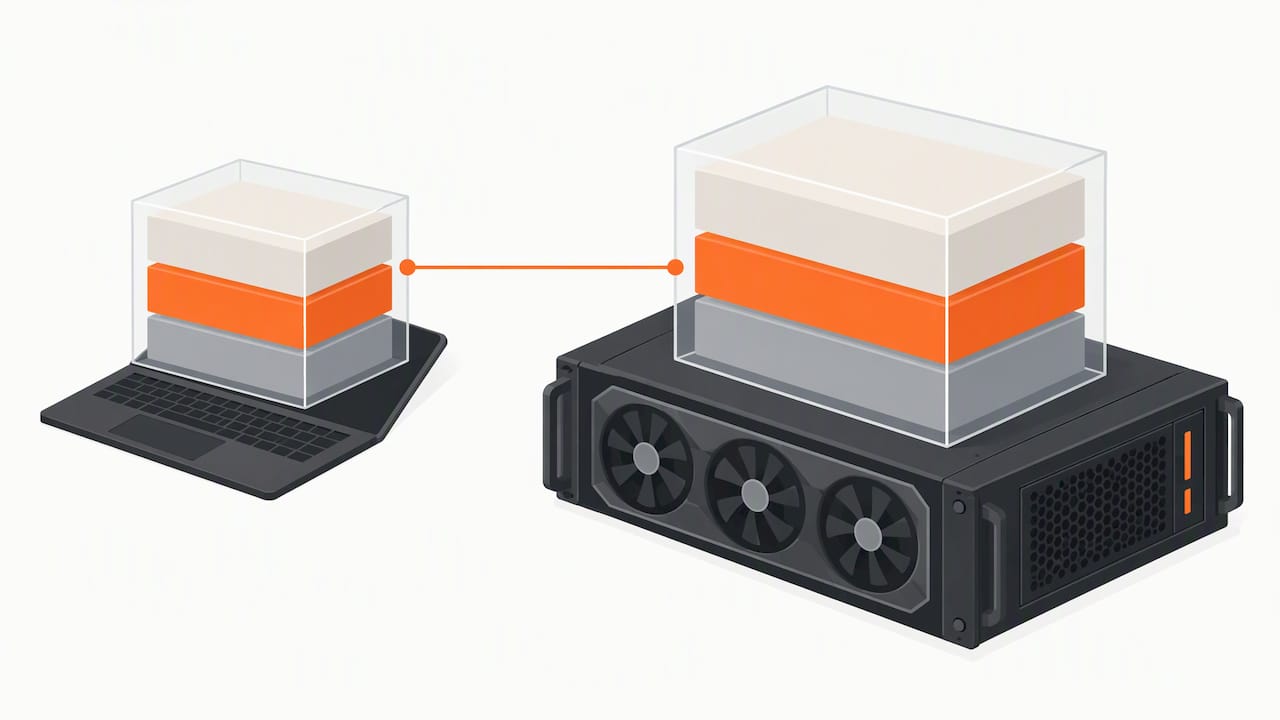
Distributed training tooling matters just as much as the base framework. PyTorch’s distributed checkpointing support, for instance, works the same way on a cloud GPU instance as it would on owned hardware, which means workflows developed locally generally transfer to a cloud environment with minimal changes. The main adjustments are usually around storage paths, container configuration, and network settings specific to the cloud environment rather than the training code itself.
Keeping framework versions consistent between your local development setup and the cloud instance avoids a common source of subtle bugs, where code that worked locally behaves differently due to a version mismatch in PyTorch, TensorFlow, or an underlying CUDA library.
Best practices for instance selection based on workload types
Instance selection comes down to matching GPU class, memory, and instance type to what the workload actually needs, rather than defaulting to the largest available option. A few patterns hold across most projects:
- Prototyping and small-scale experiments run well on lower-memory, lower-cost GPUs where iteration speed matters more than raw throughput.
- Fine-tuning mid-size models benefits from mid-tier GPUs with enough memory to avoid aggressive offloading or gradient checkpointing.
- Large-scale pretraining or inference on large models calls for high-memory, high-bandwidth GPUs like H100 or H200-class hardware, where memory bandwidth becomes the limiting factor.
- Short, bursty inference workloads often fit serverless GPU offerings better than persistent instances, since you pay only when a request triggers compute.
The workload’s shape, not just its size, should guide the choice. A job that runs constantly for weeks has different cost and reliability priorities than one that runs for twenty minutes a few times a day.
Comparison with on-premises GPU training environments
On-premises GPU clusters offer full control over hardware and data locality, but that control comes with fixed costs that do not scale down. Hardware purchased today also depreciates, and a cluster sized for last year’s models may not have enough memory for next year’s.
Cloud GPU instances flip that trade-off: no upfront hardware purchase, access to current-generation GPUs without a procurement cycle, and the ability to scale capacity up for a large run and back down afterward. The cost is a dependency on network access and a provider’s availability, rather than owning the hardware outright.
For teams running occasional large training jobs, cloud infrastructure usually makes more financial sense than buying hardware that sits idle between projects. For teams running GPUs at near-constant utilization around the clock for extended periods, the economics can shift toward owned hardware, though that calculation depends heavily on utilization rates and the pace at which GPU generations improve.
Author perspective: practical advice and where platforms are headed
GPU cloud platforms are moving toward full-stack AI services, handling drivers, tuning, and orchestration so researchers can focus on models instead of infrastructure, a shift that industry analysis has tracked closely. My read is that most teams overestimate how much infrastructure control they actually need and underestimate how much time managed tooling saves them.
If your team values speed and low operational overhead, a managed platform is the better default. If you need extreme scale with tight control over every layer of the stack, plan for a dedicated cluster instead, understanding the fixed costs that come with it.
For the next quarter, I would prioritize three things: run a single-GPU smoke test before any larger commitment, pick one managed platform and learn its billing model thoroughly, and build checkpointing into your workflow from day one rather than retrofitting it later.
— Erkan
Vpzzo: try a browser-accessible, per-minute Nvidia cloud desktop
If the checklist above sounds right for your team, dedicated GPU hardware with admin access, usage-based billing, and persistent storage covers it without a long-term commitment. We stream everything in the browser at high resolution and frame rate, so there is nothing to install before your first test run.
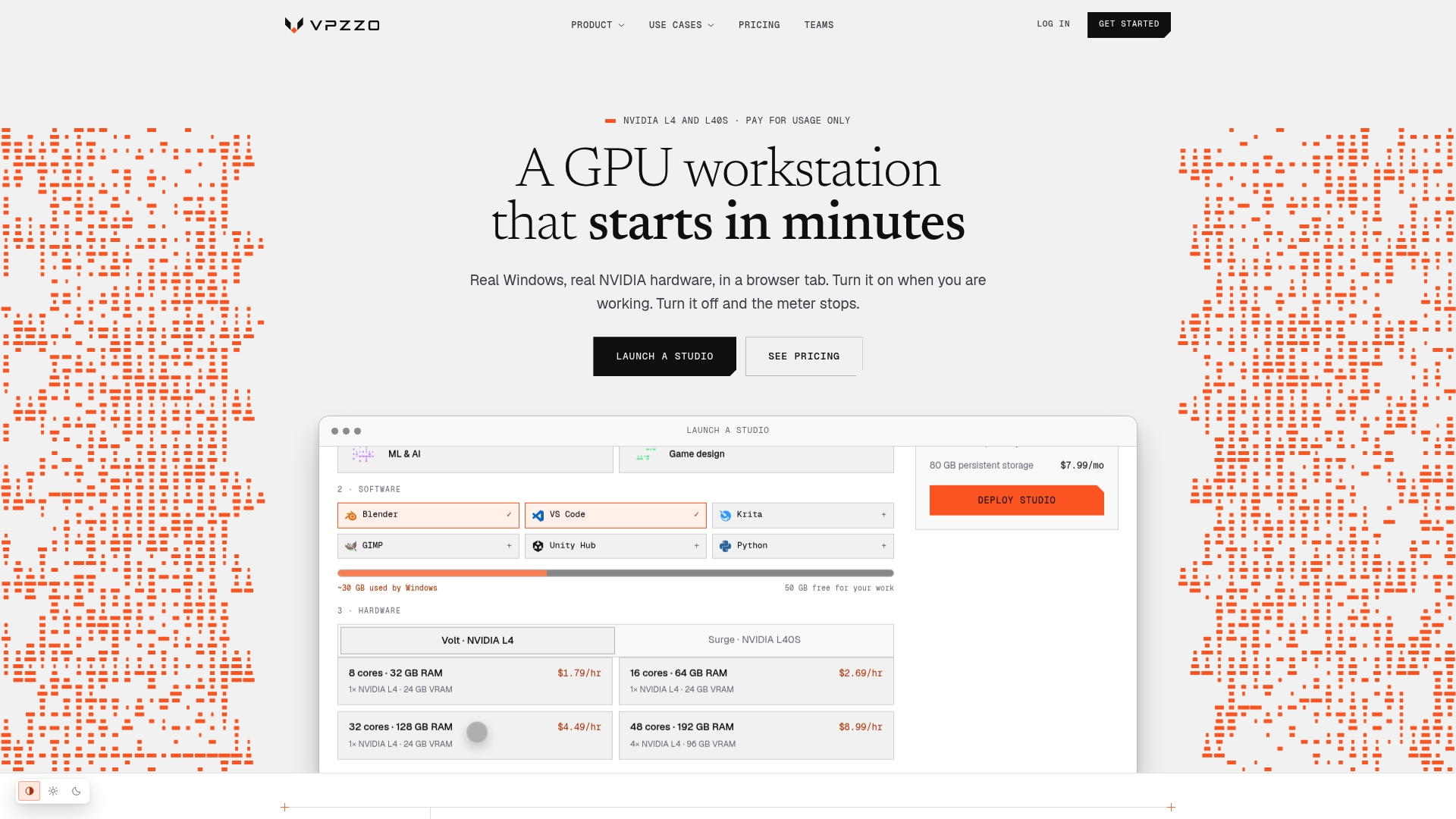
Check current rates on our pricing page, where Volt starts from $1.29 per hour and Surge from $2.79 per hour, or see how teams use dedicated GPUs for training and fine-tuning on our ML and AI use case page.
FAQ
What GPU should I get for AI training?
The right GPU depends on model size: smaller experiments run fine on lower-memory GPUs, while large language models benefit from high-memory, high-bandwidth options like H100 or H200-class hardware. Intel’s guidance on GPUs for AI notes that cost and energy trade-offs should guide the choice rather than defaulting to the largest available chip.
What is the best GPU for LLM training?
For large language models, memory capacity and bandwidth tend to matter more than raw compute, since models that do not fit in memory require slower workarounds. The NVIDIA H200 carries 141GB of HBM3e memory with higher bandwidth than its predecessor, which NVIDIA positions as suited to generative AI and large language model workloads.
Can I train my AI model on cloud infrastructure?
Yes, cloud GPU infrastructure supports training, fine-tuning, and inference for most model sizes, from small prototypes to large multi-node pretraining jobs. Managed platforms now handle drivers, containers, and orchestration, which lowers the setup work needed before a training job can start.
Where can I rent a GPU for AI training?
GPU rental is available through several delivery models, including raw virtual machines, managed container platforms, serverless GPU services, and browser-accessible cloud desktops. We offer dedicated Nvidia GPUs by the minute through our Volt and Surge plans, accessible directly in a browser without installing software.
How do I estimate cloud GPU training costs?
Estimate cost by multiplying the GPU’s hourly or per-minute rate by expected runtime, then adding storage and any data egress fees. Per-minute billing tends to lower costs for short, interactive experiments, while longer continuous runs often benefit more from reserved or discounted pricing.
Sources
- Components — NVIDIA HGX AI Factory (HGX H100, H200, B200)
- Getting Started with Distributed Checkpoint (DCP)
- How GPU infrastructure providers can transform into full-stack AI companies — Forbes
- GPUs for Artificial Intelligence (AI) – Intel